This page has been archived on the Web
Information identified as archived is provided for reference, research or recordkeeping purposes. It is not subject to the Government of Canada Web Standards and has not been altered or updated since it was archived. Please contact us to request a format other than those available.
Safety Alert Notification for IV Administration Sets - For Health Professionals
- Starting date:
- July 23, 2007
- Posting date:
- September 17, 2007
- Type of communication:
- Dear Healthcare Professional Letter
- Subcategory:
- Medical Device
- Source of recall:
- Health Canada
- Audience:
- Healthcare Professionals
- Identification number:
- RA-170001630
This is duplicated text of a letter from Cardinal Health.
Contact the company for a copy of any references, attachments or enclosures.
Notice about Health Canada advisories
Health Canada Endorsed Important Safety Information on IV ADMINISTRATION SETS
July 23, 2007
Subject: SAFETY ALERT NOTIFICATION - FOR ALL IV ADMINISTRATION SETS Indicated for Use with Alaris® Pump module (aka Medley™ Pump Module) and GeminiTM Infusion Pumps
Attention: Director of Nursing, Director of Materials and Director of Risk Management
This Safety Alert affects all IV administrations sets that are indicated for use with the Alaris® Pump module (aka Medley™ Pump Module) (Model 8100) and the Gemini™ Infusion Pumps (Models 131X, 132X and 134X). A list of affected IV administration set models is attached.
Cardinal Health has determined the need to reinforce the intended use of the IV set roller clamp as the primary means to prevent over-infusions and to regulate flow to the patient upon removal from the pump.
Over-infusion may occur as a result of an open safety clamp fitment (aka Flo-Stop® fitment) on the IV administration set pumping segment, whether opened intentionally in the course of expected clinical practice, or as a result of inadvertent action by the clinician. The over-infusion occurrence is dependent on the user not closing the roller clamp first, as required by clinical practice and the IV administration set Directions for Use, and then intentionally or inadvertently opening the secondary back-up mechanism (safety clamp fitment).
RECOMMENDATIONS for YOUR FACILITY:
- Reinforce the intended and expected use of the roller clamp as the primary means to regulate or prevent flow to the patient upon priming or use outside the pump.
Per the IV administration set directions for use and acceptable clinical practices:
WARNING: TO PREVENT FREE-FLOW, CLOSE SET ROLLER CLAMP WHEN SAFETY CLAMP FITMENT ON PUMPING SEGMENT IS OPEN.
- Our records indicate you haveAlaris® Pump module technology. Post the enclosed Alaris® Pump module-related Tip Sheets in a prominent location to reinforce the IV Administration Set directions for use. For additional copies or if you also require copies of the Tip Sheets for the Gemini™ Infusion Pump, please call Customer Advocacy at 1-800-387-8309. Additional copies can also be accessed on the Cardinal Health web site.
- Please complete and return the enclosed "Customer Response Card."
We want to assure you that Cardinal Health remains committed to serving your infusion product needs. Patient safety, exceptional product reliability and the highest level of customer satisfaction are our primary goals. Should you have any questions or concerns, our Customer Advocacy department is prepared to assist you at 1-800-387-8309 as well as provide any additional tip sheets you may request.
Cardinal Health
235 Shields Court
Markham, ON L3R 8V2
Tel: 800-387-8309
Fax: 905-752-3343
Any suspected adverse incident can also be reported to:
Health Products and Food Branch Inspectorate
HEALTH CANADA
Address Locator: 2003D
Ottawa, Ontario K1A 0K9
Tel: The Inspectorate Hotline 1-800-267-9675
The Medical Devices Problem Report Form and Guidelines can be found on the Health Canada web site.
For other inquiries related to this communication, please contact Health Canada at:
Marketed Health Products Directorate (MHPD)
E-mail: mhpd_dpsc@hc-sc.gc.ca
Tel.: 613-954-6522
Fax: 613-952-7738
Sincerely,
original signed by
Barry Holleman
Cardinal Health, Clinical Technologies and Services
Director of Operations
Enclosures:
- Tip Sheets: "Understanding the Safety Clamp and the Alaris® Pump Module"
- Customer Response Card
- List of IV Administration Sets for use with the Alaris® Pump module (aka Medley™ Pump Module) and the Gemini™ Infusion Pump
Understanding the Safety clamp* and the Alaris® Pump module**
Alaris® products
1. Loading a new administration set:
Note: The Safety clamp fitment on the pumping segment is received in open position (for priming)
- Prime set and close roller clamp
- Power ON the system

1a Close roller clamp

1b Insert into pump

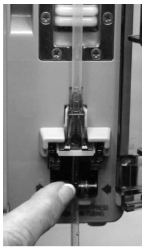
1c Using a fingertip, firmly push tubing toward back of air-inline detector

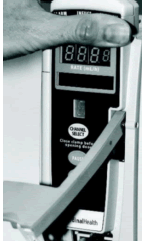
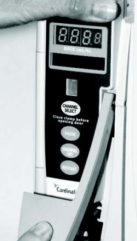
1d Close door

1e While holding the door closed, gently lower the door latch

1f Ensure door is closed, then open roller clamp
2. Removing administration set from pump:
- Close roller clamp
- Open pump module door
Note: When door is opened, the administration set Safety clamp fitment will automatically close to help prevent accidental free-flow

When the white clamp is extended, it is in the "closed" position to prevent flow
2 Safety clamp fitment automatically closes
3. Reloading administration set into pump:
Note: Safety clamp fitment is closed (white clamp is extended) when removed from pump
- Ensure roller clamp is closed
- Insert set into pump, per directions for use, leaving white clamp on Safety lamp fitment extended
- Close pump module door
- Open roller clamp

3a Close roller clamp

3b Re-insert set into pump

3c Using a fingertip, firmly push tubing toward back of air-inline detector

3d Close door

3e While holding the door closed, gently lower the door latch

3f Ensure door is closed, then open roller clamp
For more information, please contact Customer Advocacy at 800.854.7128, ext. 7812. In Canada at 800.387.8309. Or visit our website at cardinalhealth.com.
*Safety clamp formerly known as Flo-Stop® fitment.
** Alaris® Pump module formerly known as Medley® Pump Module.
©2004-2007 Cardinal Health, Inc. or one of its subsidiaries. All rights reserved.
Alaris® is a registered trademark of Cardinal Health, Inc. or one of its subsidiaries. 3POC1474 (0607/15000)
Understanding the Safety clamp* and the Gemini Infusion Pump
Alairs® products
Gemini Infusion Pump
1. Loading a new administration set:
Note: Safety clamp fitment is received in open position (for priming)- Prime set and close roller clamp
- POWER ON the system

1a Close roller clamp

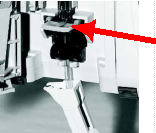
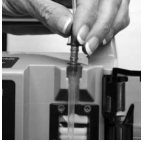
1b Position upper fitment into fitment recess

1c Insert the Safety clamp fitment into recess

1d Using a fingertip, firmly push tubing toward back of Air-in-Line Detector
2. Removing administration set from pump:
- Close roller clamp
- Open pump module door
Note: When door is opened, the administration set Safety clamp fitment will automatically close to help prevent accidental free-flow

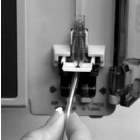
2a Remove the Safety Clamp fitment by gently pulling tubing (below the Air-in-Line Detector) forward and out

2b Lift upper fitment vertically from upper fitment recess
3. Reloading administration set into pump:
Note: Safety clamp fitment is closed (white clamp is extended) when removed from pump
- Ensure roller clamp is closed
- Insert set into pump, per directions for use, leaving white clamp on Safety clamp fitment extended
- Close pump module door
- Open roller clamp

3a Ensure roller clamp is closed

3b Re-insert set into pump
For more information, please contact Customer Advocacy at 800.854.7128, ext. 7812. In Canada at 800.387.8309. Or visit our website at cardinalhealth.com.
* Safety clamp formerly known as Flo-Stop® fitment ©2004-2007 Cardinal Health, Inc. or one of its subsidiaries. All rights reserved.
Alaris® is a registered trademark of Cardinal Health, Inc. or one of its subsidiaries. SSM# 3POC1560 (0607) 32M
CUSTOMER RESPONSE CARD
Please assist us in making the Safety Alert follow-up process efficient and convenient for you by completing and returning this card.
This HTML document is not a form. Its purpose is to display the information as found on the form for viewing purposes only. If you wish to submit a form, you must use only the PDF version.
([NJS_FILE:3311bdad-28b4-40a2-8077-a66dbc3cbc0f:f4b31247-f229-4af2-a71e-51cc3d9e43e4] - 708 KB)
(Check if Applicable)
Safety Alert Receipt Verification:
- We have received the Safety Alert Notification for the IV Administration Sets for use with the Alaris® Pump module (aka Medley™ Pump module) and the Gemini™ Infusion Pumps.
- We have posted the Tip Sheet provided in the Safety Alert Notification in appropriate location(s) to reinforce the IV Administration Set Directions for Use.
- We have not received the Tip Sheet and/or require additional Tip Sheets. Please send (qty) Tip Sheets to the address noted below.
Location Verification for Alaris® Pump module (aka Medley™ Pump module) & Gemini™ Infusion Pump:
-
Alaris® Pump modules (aka Medley™ Pump modules) & Gemini™ Infusion Pumps are no longer owned by or located at this facility.
- They have been destroyed or transferred to an unknown location.
- They have been transferred to the following location:
Signed: (Signature and Title)
Date:
(Please Print Name)
(Phone)
DISTRIBUTOR RESPONSE CARD
Please assist us in making the Safety Alert follow-up process efficient and convenient for you by completing and returning this card.
(Check if Applicable)
Safety Alert Receipt Verification:
- We have received the Safety Alert Notification for the IV Administration Sets for use with the Alaris® Pump module (aka Medley™ Pump module) and the Gemini™ Infusion Pumps.
- As a distributor, we have forwarded copies of the Safety Alert Notification and Tip Sheet to our customers who purchase IV Administration Sets for use with the Alaris® Pump module (aka Medley™ Pump module) & Gemini™ Infusion Pumps.
- We have not received the Tip Sheet or Customer Response Cards and/or require additional copies. Please send (qty) Tip Sheets and Customer Response Cards to the address noted below.
Distributor Verification:
- We distribute IV Administration Sets for use with the Alaris® Pump module (aka Medley™ Pump module) & Gemini™ Infusion Pumps.
- We DO NOT distribute IV Administration Sets for use with the Alaris® Pump module (aka Medley™ Pump module) & Gemini™ Infusion Pumps.
Signed: (Signature and Title)
Date:
(Please Print Name)
(Phone)
IV Administration Sets - Intended for Use with Alaris® Pump module (aka Medley™ Pump module) and Gemini™ Infusion Pumps
| Model Number | |||
|---|---|---|---|
| 10010453 | 10015649 | 2241-0008 | 2455-0500 |
| 10010454 | 10015861 | 2241-0600 | 2464-0500 |
| 10010483 | 10015862 | 2247-0600 | 2477-0000 |
| 10010541 | 10015896 | 2248-0600 | 2477-0007 |
| 10010547 | 10031773 | 2255-0001 | 2478-0000 |
| 10010761 | 10061661 | 2255-0500 | 2904-0600 |
| 10010871 | 10062818 | 2260-0001 | 2906-0000 |
| 10010916 | 10074281 | 2260-0006 | 2906-0001 |
| 10011221 | 10108961 | 2260-0008 | 2907-0000 |
| 10011301 | 10137405 | 2260-0500 | 2907-0006 |
| 10011462 | 10142568 | 2264-0006 | 2920-0000 |
| 10011652 | 10178573 | 2264-0008 | 2929-0500 |
| 10012144 | 2110-0500 | 2264-0500 | 2941-0500 |
| 10012182 | 2111-0500 | 2277-0000 | 2942-0500 |
| 10012283 | 2120-0500 | 2277-0006 | 2946-0600 |
| 10012293 | 2125-0500 | 2277-0008 | 9943-0000 |
| 10012645 | 2126-0500 | 2279-0006 | 9943-0001 |
| 10012802 | 2130-0500 | 2280-0000 | 9943-0008 |
| 10013034 | 2131-0500 | 2301-0500 | 9943T |
| 10013037 | 2140-0600 | 2377-0000 | 9943T-0008 |
| 10013072 | 2141-0600 | 2401-0006 | 9950-0500 |
| 10013186 | 2147-0600 | 2401-0500 | 9952-0500 |
| 10013361 | 2177-0000 | 2403-0000 | 9953-0500 |
| 10013373 | 2200-0006 | 2403-0007 | 9966-0006 |
| 10013374 | 2200-0500 | 2406-0500 | 9971-0600 |
| 10013854 | 2202-0500 | 2410-0500 | 9974-0600 |
| 10013889 | 2203-0006 | 2411-0500 | C24101E |
| 10013890 | 2205-0000 | 2412-0500 | C24102M |
| 10013923 | 2210-0006 | 2414-0006 | C24103E |
| 10014035 | 2210-0500 | 2420-0006 | C24104E |
| 10014855 | 2211-0500 | 2420-0007 | C24105E |
| 10015012 | 2214-0001 | 2420-0500 | C24106E |
| 10015048 | 2214-0006 | 2421-0500 | C24107E |
| 10015294 | 2220-0006 | 2425-0500 | C24109E |
| 10015312 | 2220-0500 | 2426-0500 | C24111E |
| 10015362 | 2225-0500 | 2430-0500 | C24112 |
| 10015364 | 2226-0500 | 2431-0500 | C24114E |
| 10015366 | 2230-0500 | 2440-0600 | C24116E |
| 10015368 | 2231-0006 | 2441-0007 | C24117 |
| 10015370 | 2231-0500 | 2441-0600 | C24119E |
| 10015414 | 2240-0008 | 2443-0600 | C24120E |
| 10015489 | 2240-0600 | 2447-0600 | |
| 10015514 | 2241-0001 | 2448-0600 | |
| 10015645 | 2241-0006 | 2449-0600 | |
Images
Select thumbnail to enlarge - opens in a new window